One inventory model, two very different jobs.
Conceptual future-state strategy for enterprise inventory management on the internal employee platform — bringing Retail Sales Consultants and Fulfillment Technicians, two operationally distinct roles, onto one coherent inventory experience with its own dedicated entry point.
Contents of this project are solely conceptual. Internal platform and system names generalized for public portfolio use.
Empathy → Define → Ideate → Prototype → Test & iterate.
Empathy
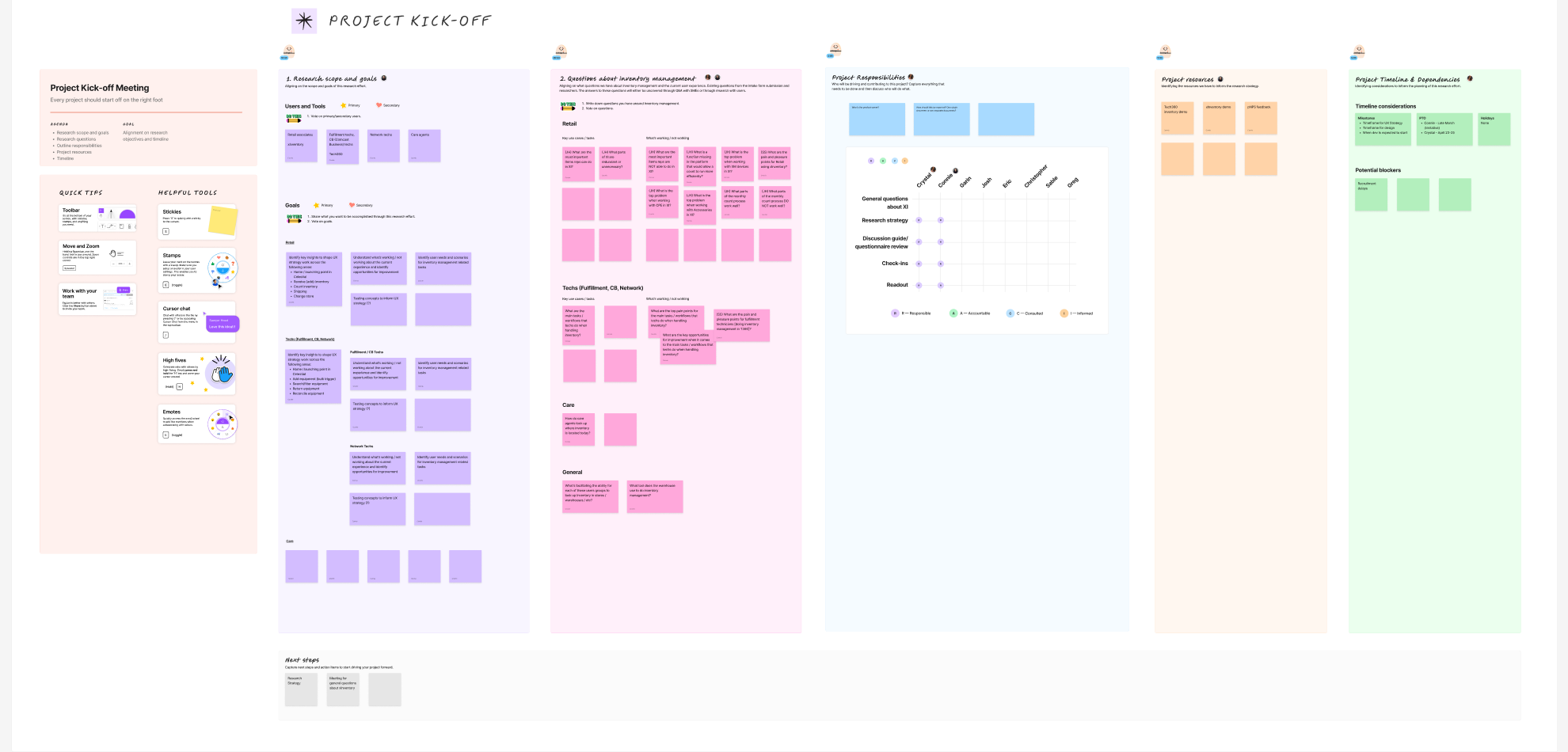
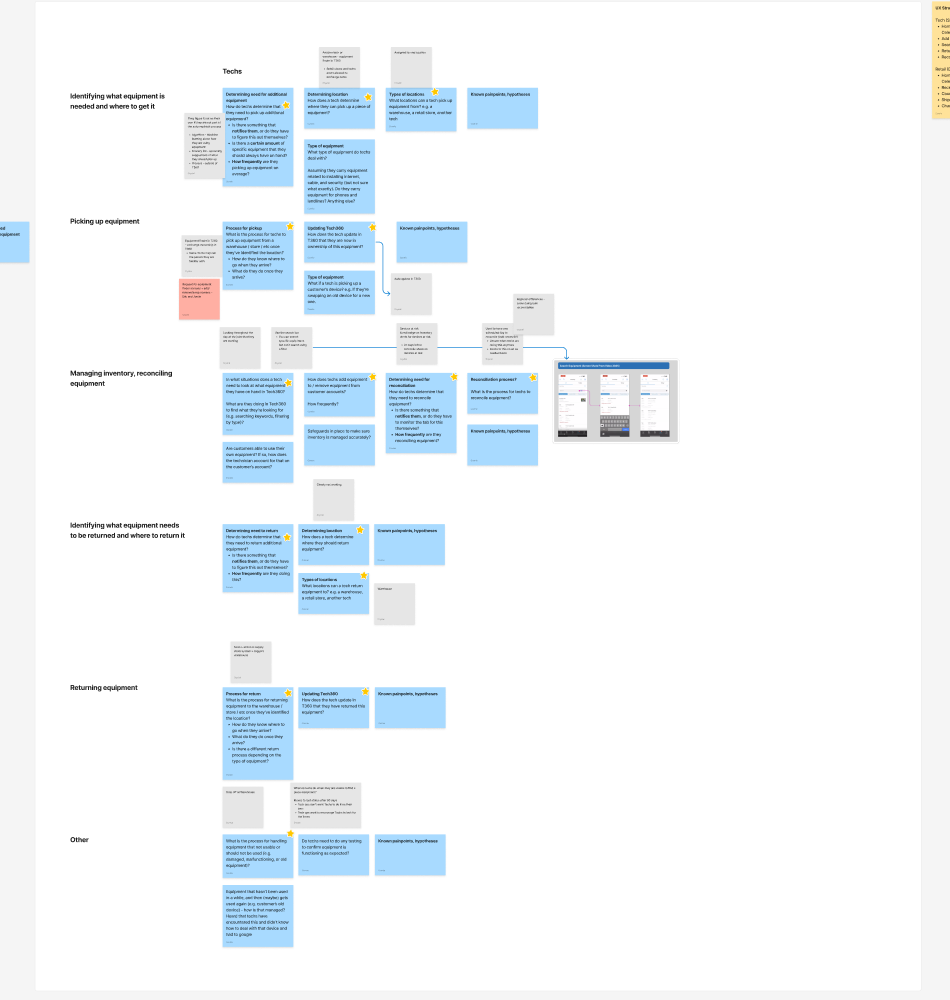
Kicked off with a research plan spanning 4 stakeholder groups, then mapped the current-state journey stage by stage for each.
Define
Reframed inventory as its own space rather than a scattered side effect, and scoped the work to the two roles it actually needed to serve.
Ideate
Partnered with research and content strategy on categorization as a content problem, not just a layout decision.
Prototype
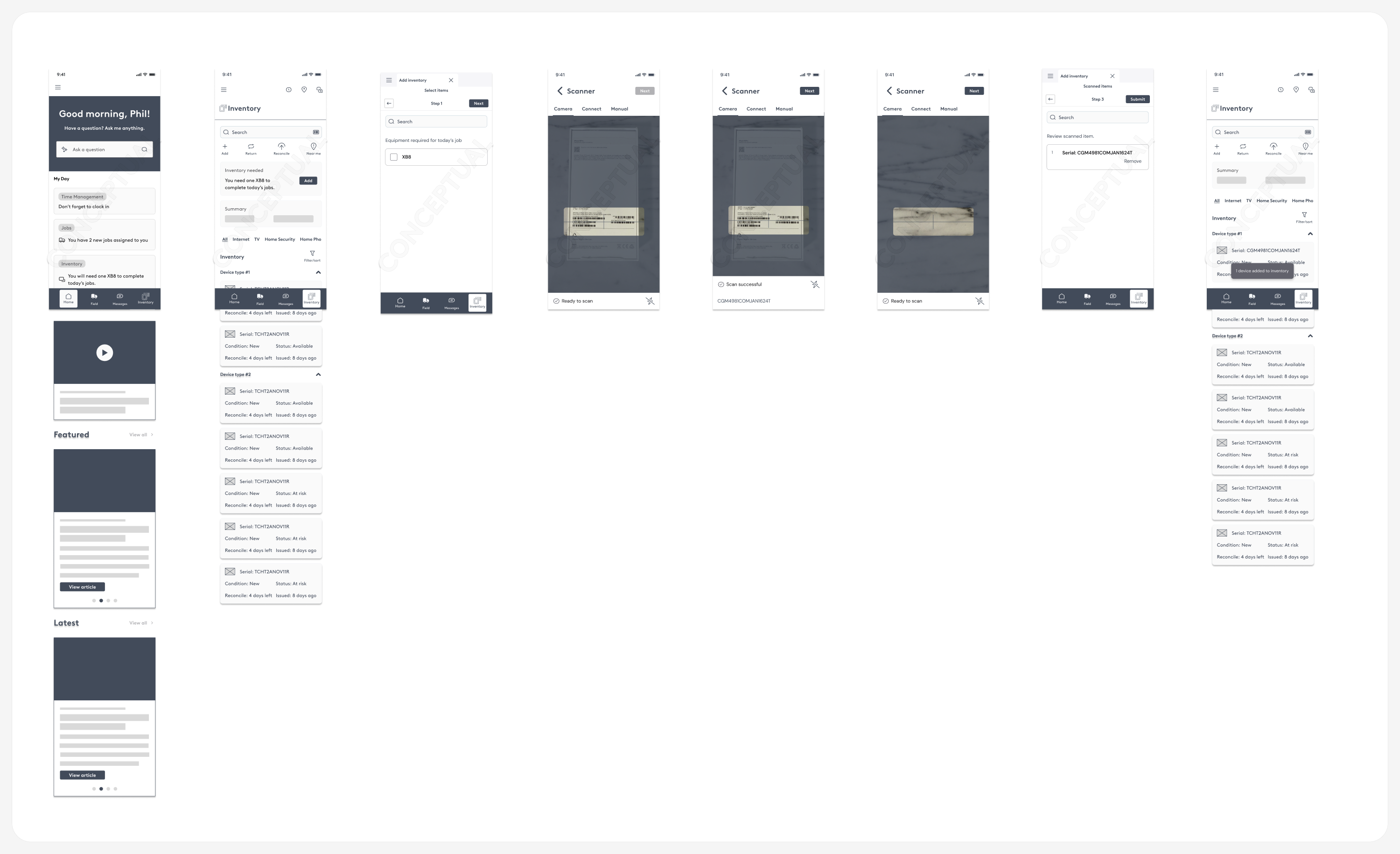
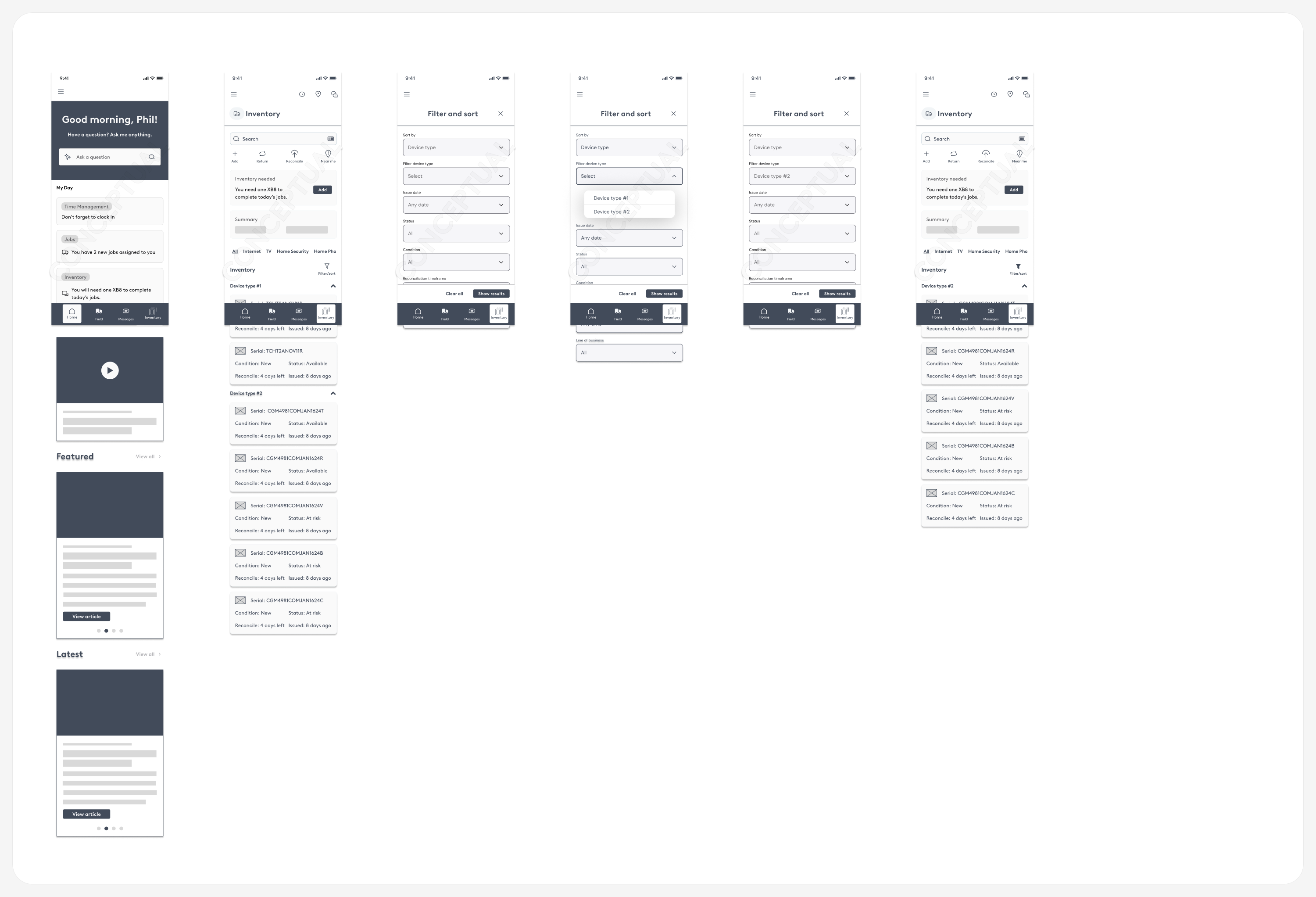
Designed parallel concepts for both roles — a mobile flow for technicians, a desktop tool for retail — sharing one object model underneath.
Test & iterate
Documented open questions alongside the design, rather than pretending every edge case was already resolved.
Four stakeholder groups, mapped stage by stage.
Before any screen existed, a research plan aligned the team on scope, key questions, and who actually needed to be talked to — treating each role as a genuinely different user, not a variation on one persona.
For the technician side specifically, the current-state research was organized around the actual physical workflow — not a generic task list:
Before this work, inventory wasn't its own thing inside the broader employee platform — it was scattered across other flows, making it hard to reason about status, history, or ownership at a glance.
Inventory needed to become an experience, not a side effect.
Inventory management touched two operationally different groups — Retail Sales Consultants working customer-facing sales floors, and Fulfillment Technicians managing physical stock and device movement in the field.
Understand it, then reimagine it.
The scope was explicitly broader than screen design: understand the current inventory experience for both roles, strategize a future-state model that leverages the broader internal platform, and generate a phased approach specific to each group — not a single one-size-fits-all workflow.
Categorization as a content problem, not just a UI problem.
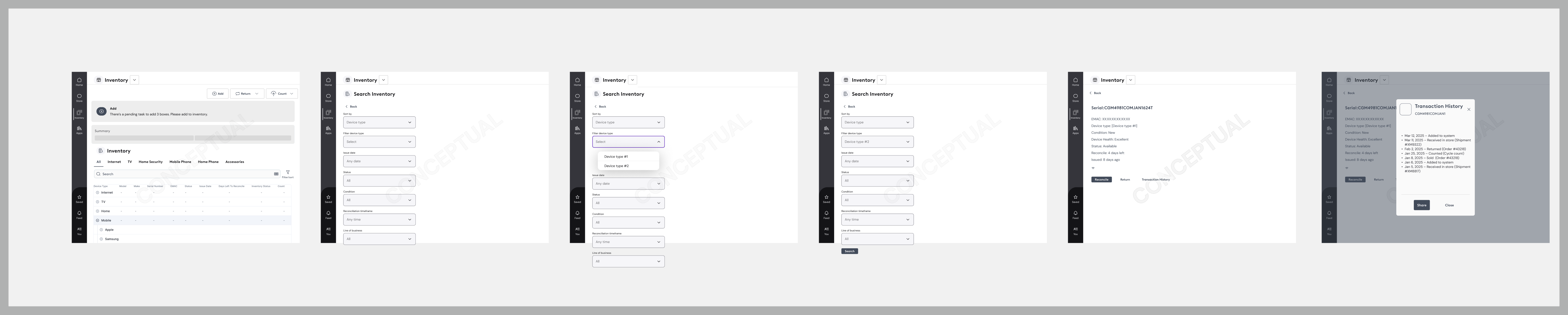
Partnered directly with research and content strategy to determine how inventory items should be categorized — including proposing new top-level categories — rather than treating taxonomy as a purely visual layout decision. Device types were grouped by product line (Internet, TV, Home Security, Mobile — further split by manufacturer, Home Phone, Accessories), matching how both roles already talked about their stock rather than an internal system's own classification.
Not a feature buried elsewhere
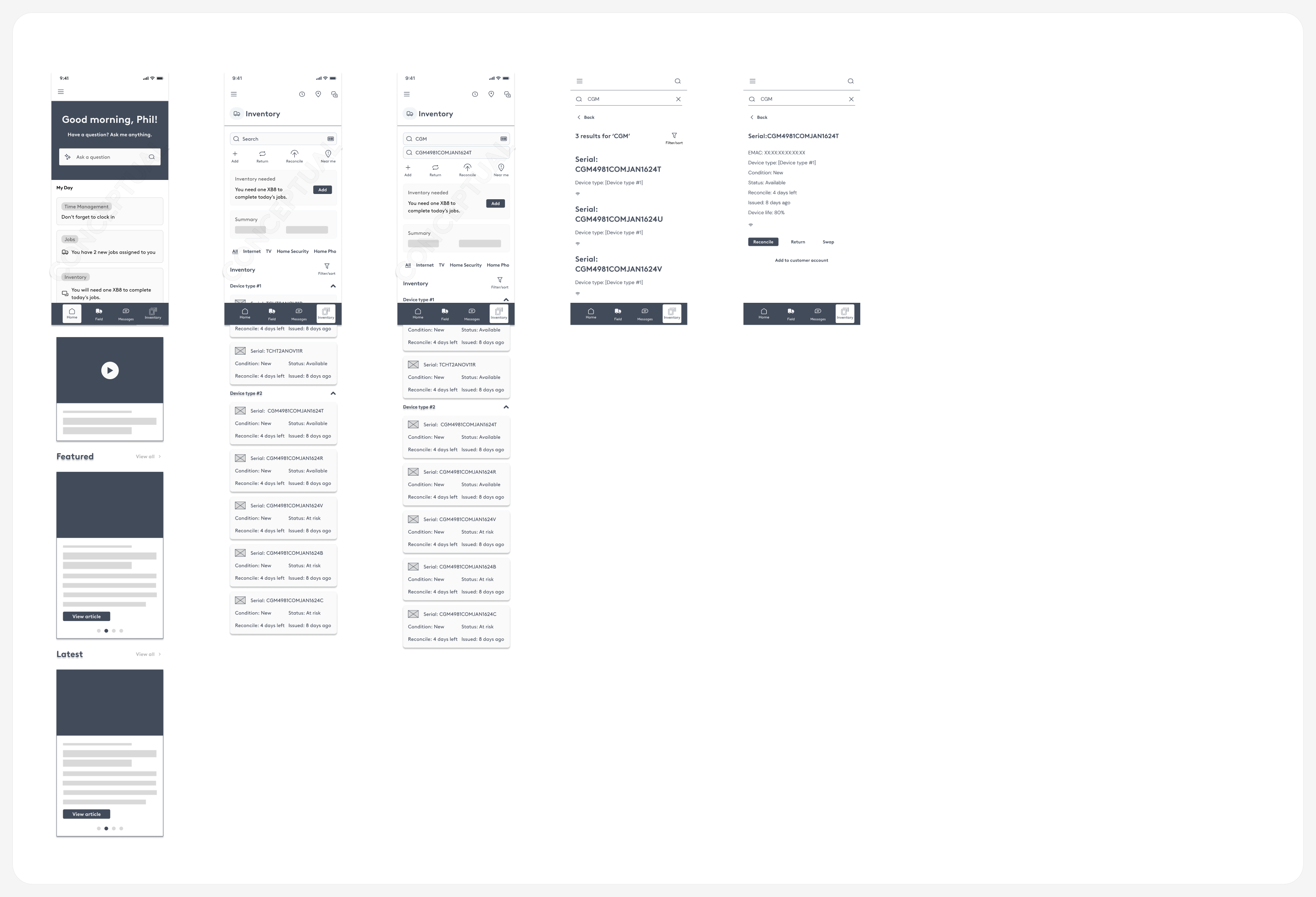
Presented side-by-side flows for home, inventory list, device detail, search, and filters, and helped decide that inventory should become its own dedicated entry point in the platform.
A full transaction history
Extended the strategy down to device-level detail — tracking a unit through received, added to system, sold, returned, and counted states, so every device has a legible history.
Two roles, one shared pattern underneath.
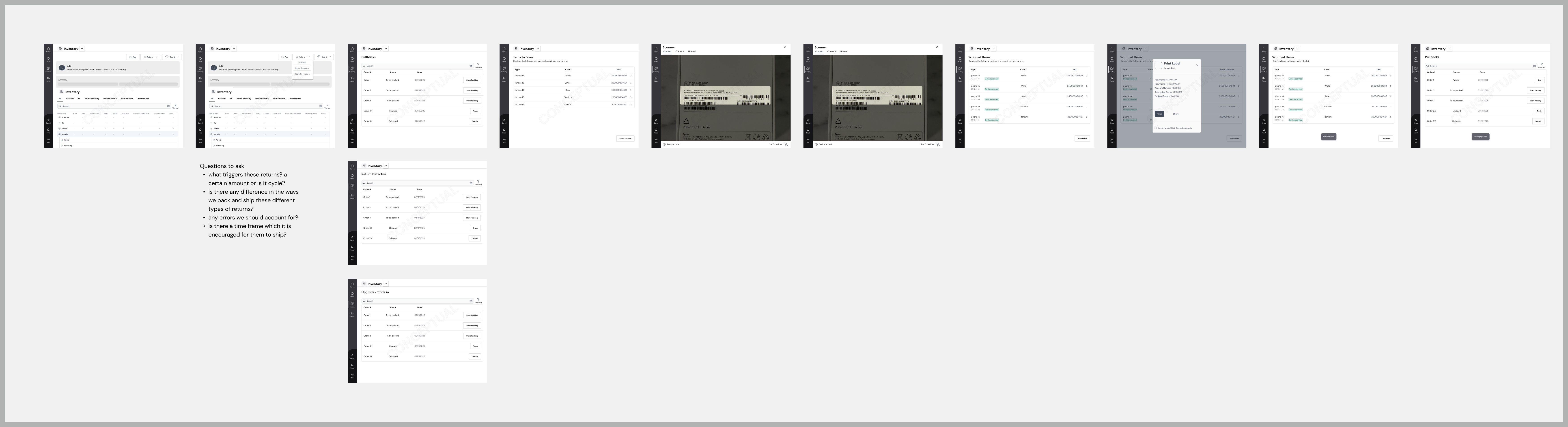
Both concepts use the same core pattern — scan (or search), review, submit — for Add, Return, and Reconcile, so the interaction model stays consistent even though the surfaces (mobile field app vs. desktop retail tool) are completely different.


| Decision | Rationale |
|---|---|
| Inventory becomes its own platform space | Operationally important enough to need first-class navigation, discoverable independently rather than buried inside another workflow — and able to serve both retail and technician use cases from one entry point. |
| Separate phased approach per role | Retail Sales Consultants and Fulfillment Technicians have materially different workflows and priorities; a single generic flow would have under-served both. |
| One shared scan → review → submit pattern | Add, Return, and Reconcile all reuse the same 3-step interaction, so the two very different surfaces still feel like one system underneath. |
| Categorization driven by research + content strategy, not just design | Getting the mental model and terminology right for the people actually using it mattered more than mirroring internal product classifications. |
| Full transaction history at the device level | Preserving a dated chain of state changes (received → sold → returned → counted) gives employees traceability and confidence in an item's status, not just its current snapshot. |
Open questions, documented alongside the design.
This is strategy and concept work, stated as such — not a shipped product with usage metrics yet. Rather than invent adoption numbers, the honest framing is: the work established a clearer, more coherent inventory model for two frontline roles, brought research, content strategy, and UX together around it, and gave the org a documented plan to build against.
Part of that documentation was being explicit about what wasn't resolved yet. The return-flow research, for example, was left with real open questions rather than assumed answers:
- What triggers these returns — a certain amount, or is it cyclical?
- Is there any difference in how different return types are packed and shipped?
- What errors should the flow account for?
- Is there a timeframe by which returns are encouraged to ship?
Documenting what's still unknown is part of the deliverable — not a gap to paper over before handing the work to the next team.